Text messages from Lever
Last updated October 16, 2026
Lever texts the people who use it from Lever's own toll-free number. This page describes those texts and how people agree to them. Lever is operated by Tyler Smith.
Texts a business sends its own customers through Lever (appointment reminders, estimates, replies) come from that business's own number, not this one, and the business is responsible for its customers' consent.
What we text
- Sign-in codes. If you choose to get two-step verification codes by text, we text a 6-digit code each time you sign in, and when you ask for one to confirm a change to your account. Example: "Lever: 123456 is your verification code. It expires in 10 minutes. Don't share it with anyone."
- Emergency alerts. When a business has no texting number of its own yet, we text its emergency calls to the number it puts on call. Example: "Huff Puff Home Services emergency: no heat, furnace won't start (Mr. Pig). Call back: (801) 555-0134. Open the inbox in Lever to take it."
We never send marketing or promotional texts from this number.
How you agree to them
Sign-in codes are off until you turn them on. When you set up two-step verification in Lever (right after creating an account, or later under Profile → Sign-in), you enter your own mobile number and select Text me a code. The screen says, next to that button:
"By selecting Text me a code, you agree to get sign-in codes from Lever by text at this number, one each time you sign in. Message and data rates may apply. Reply STOP to opt out or HELP for help. See Text messages, Terms and Privacy Policy."
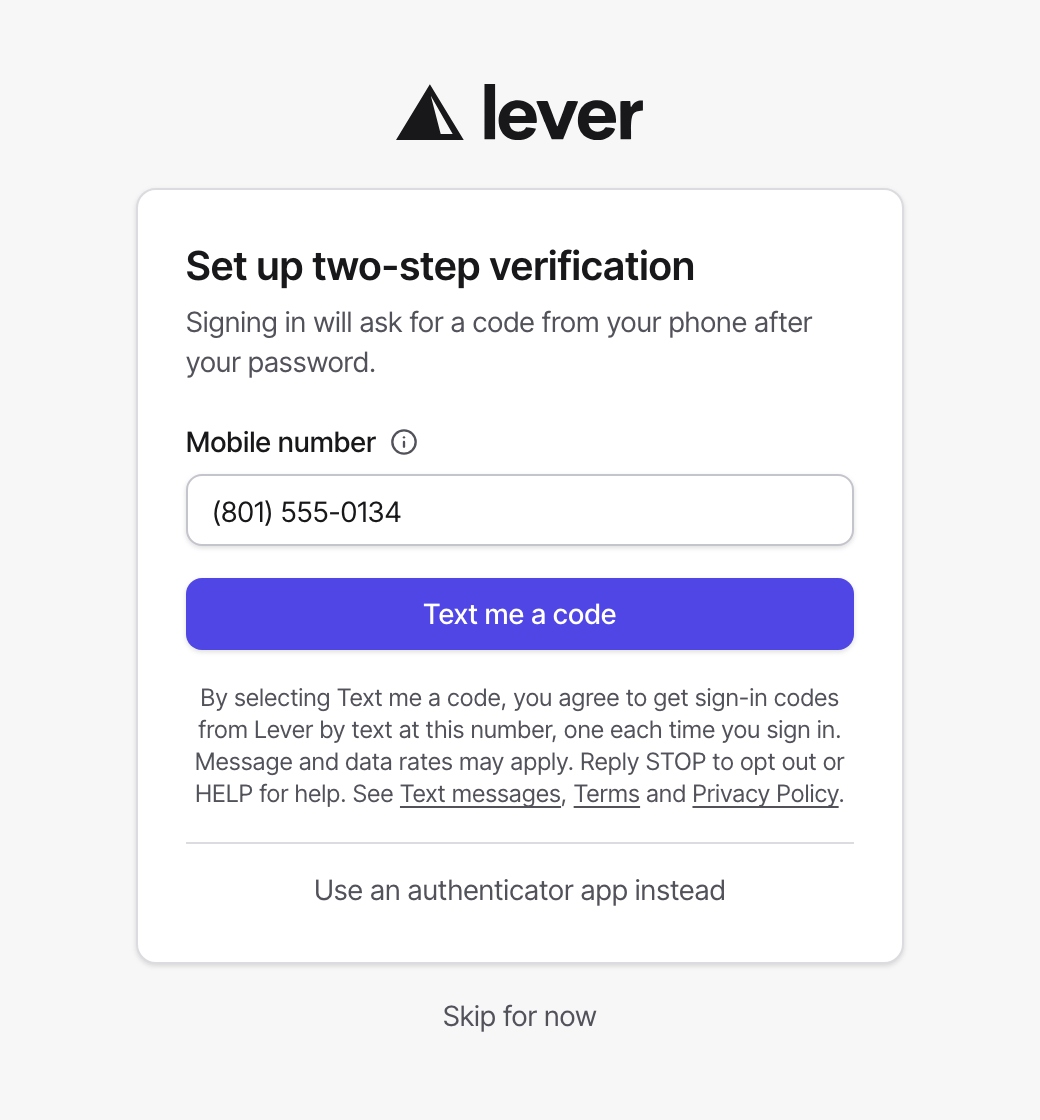
We then text a code to that number, and two-step verification turns on only once you type that code back into Lever, which confirms the number is yours. You can choose an authenticator app instead, and you never have to give a number.
Emergency alerts go to the on-call number a business's owner or admin enters under AI teammate → Settings, for the person who agreed to be on call.
How often
Sign-in codes: one text each time you sign in or ask for a code, usually a few a month. Emergency alerts: only when a business gets an emergency call.
Stopping texts and getting help
Reply STOP to any text from Lever's number to stop all texts from it, and START to receive them again. Reply HELP for help, or email support@leverservices.app.
To stop sign-in codes without replying, turn off two-step verification or switch to an authenticator app under Profile → Sign-in. Message and data rates may apply. Carriers aren't liable for delayed or undelivered messages.
Your number
We use your number only to send these texts. Mobile phone numbers and text messaging consent are not shared with or sold to third parties or affiliates for their own marketing or promotional purposes. Twilio sends our texts on our behalf. The Privacy Policy (https://leverservices.app/privacy) and Terms of Service (https://leverservices.app/terms) apply.